Industry
Communication
Client
Mattermost
Designing Scalable Channel Templates for Consistent and Efficient Content Creation
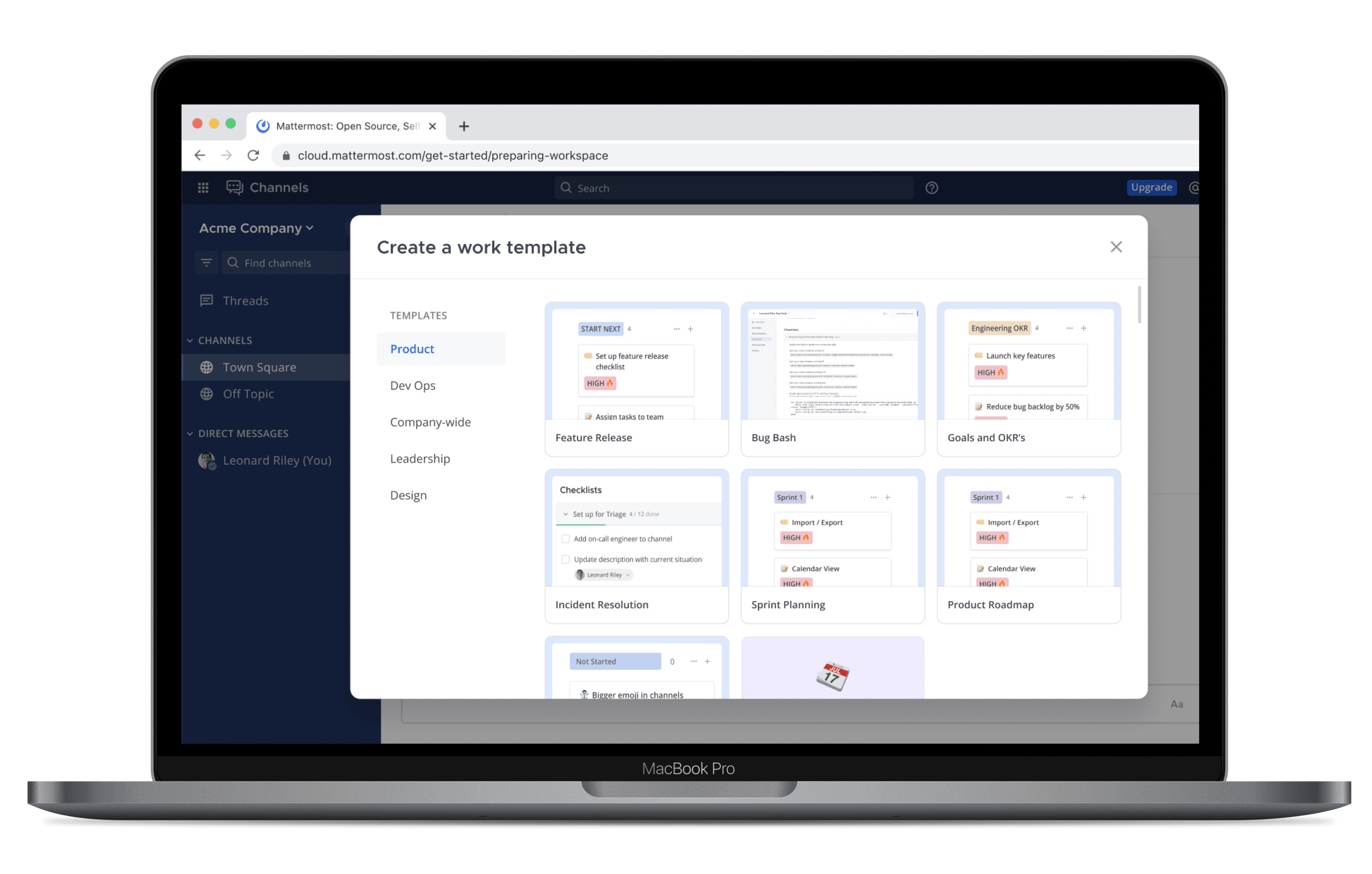
Building a Flexible Template System to Streamline Channel Setup, Maintain Brand Consistency, and Accelerate Content Deployment
My role
Project time
Results
40% reduction in urgent clients
Increased visibility into new clients
In this project for Mattermost, I led the design of a scalable channel templates system aimed at streamlining how teams set up and manage communication channels. As enterprise users increasingly relied on Mattermost for mission-critical collaboration, there was a growing need for a more efficient and consistent way to create channels tailored to specific workflows and use cases. The goal was to reduce setup time, promote best practices, and ensure consistency across teams by introducing pre-configured templates. Through user research, close collaboration with product and engineering, and multiple rounds of iteration, I developed a flexible template system that empowered users to quickly spin up channels with the right structure, permissions, and guidance—enhancing productivity from the start.
Problem: Low Product Activation
What data do we have to confirm that we indeed have an issue on our hand aside from interviews? Many of our customers could not easily discover our Boards and Playbooks products as well as our many integrations. These were our product differentiating characteristics, so it was key that our customers knew about them as part of their initial use of the app and could easily integrate them into their workflows
79%
of new customers didn't activate our
boards or playbooks products
Success metrics
How do we know that this is a problem aside from discovery interviews? We found that our boards activation rate was 12% which indicated poor discovery. How can we know we've done a good job and that our solution is successful? What information can we track to ensure we're on the right path? Along with my product manager, I chose the below metrics to confirm that 1. our templates are appealing and 2. we are increasing discovery and activation of our more hidden Boards product.We would shoot for a 40% rate of workspaces with templates created after 3 months and a 35% boards activation rate compared to 12%.
40%
35%
Exploring template discovery
and information architecture
For V1, initially I began exploring persona-based templates since we had a really strong idea of our main personas using the product. Ultimately I found it to be limiting and not a scalable way to organize template categories and use-cases.
Then, in V2, I iterated towards having the larger template categories. I was still exploring how to preview a multi-product experience and explored a gif like experience with a block of text to the right explaining all the available products in a template. This required a heavier cognitive load on the user to read and dissect the information and understand . Additionally, it forced the user to engage across 3 columns of content and, without being able to really focus.
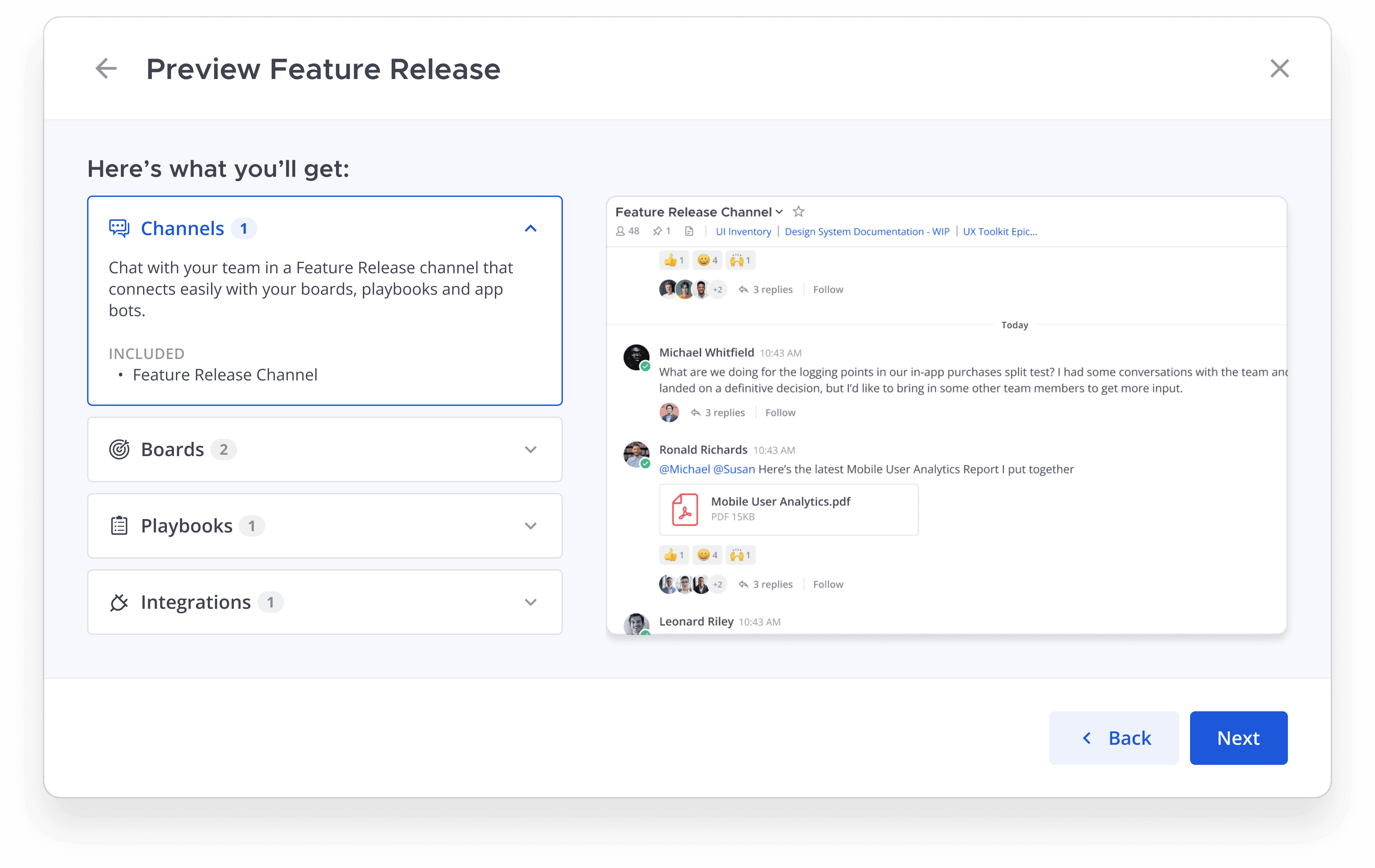
Finally, in V3, I landed on accordions of information, which also acted as a way to engage with and control the image content on the right. In testing, users responded well to this, with 92% success rate of understanding which products and integrations were included in each template.
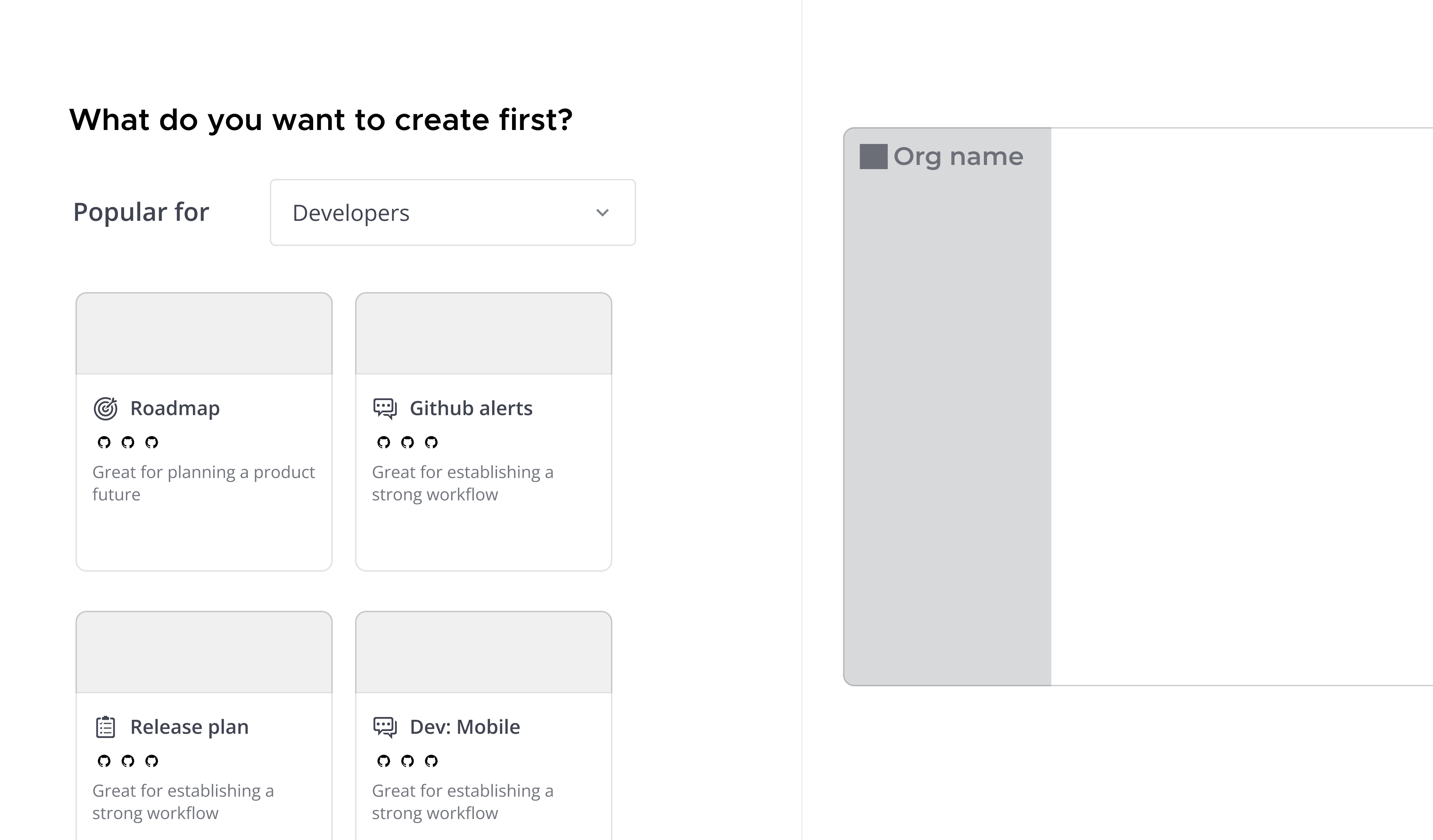
V1
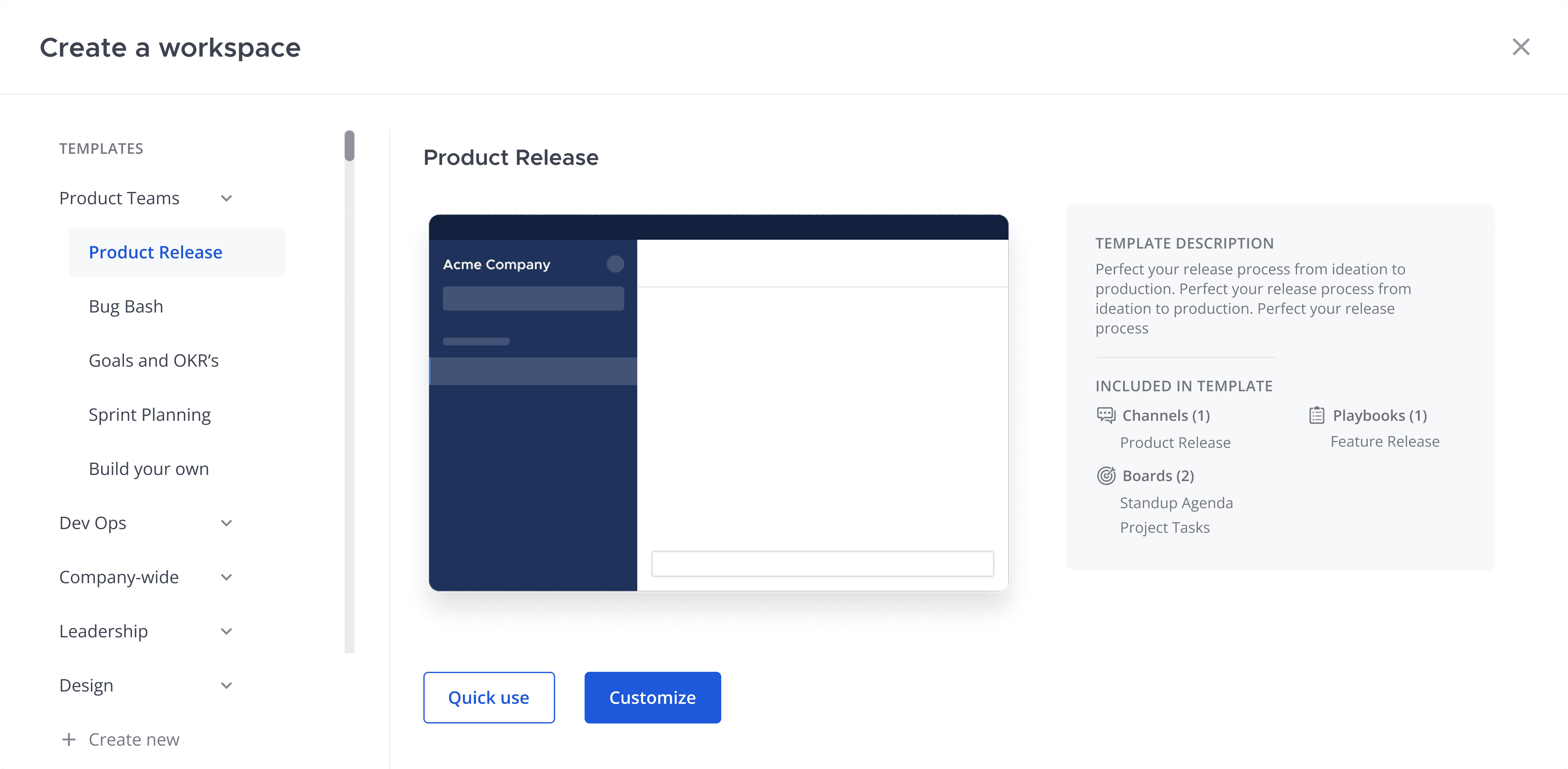
V2
V3 (Final)
Exploring template previews
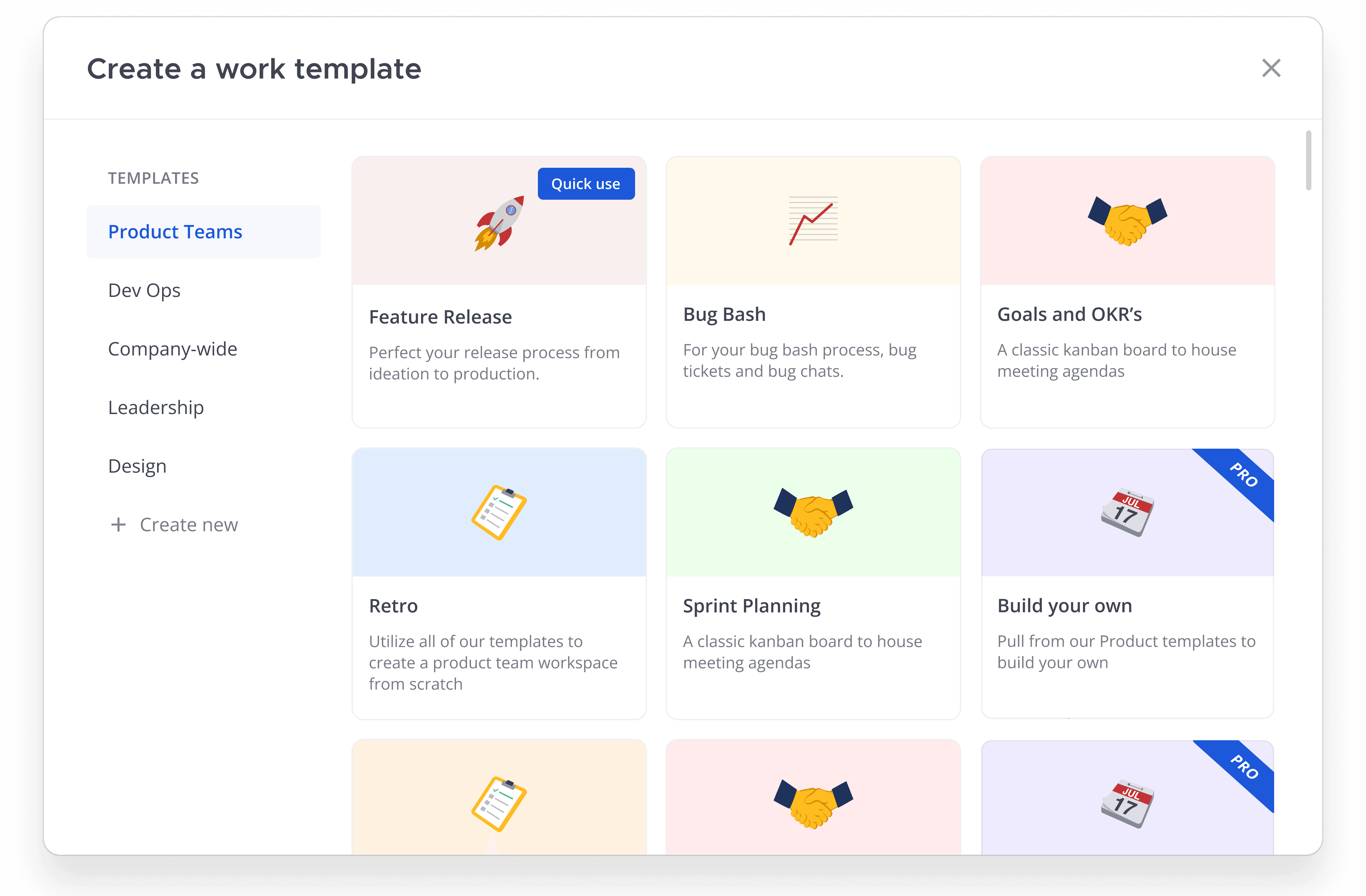
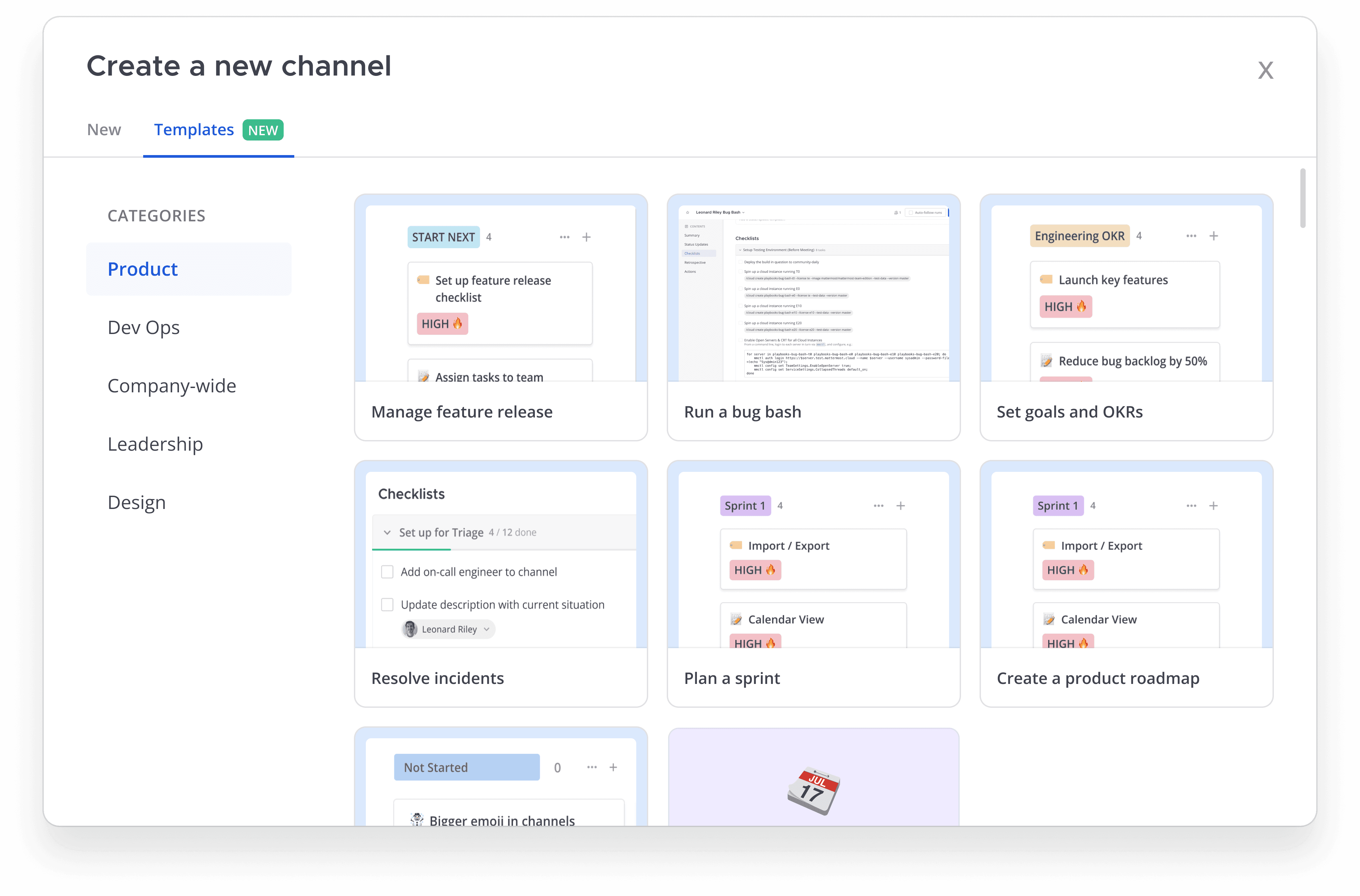
I began exploring template covers and ways to uncover quick preview into the types of templates we offered. On hover, I highlighted the number of boards, playbooks and channels that would be included. I started exploring using different colors and icons to represent each template type, but quickly got feedback from customers that it wasn't clear what each template entailed. I moved towards providing real information and images of the actual product they would be using. While not as visually appealing as the initial color blocks, it quickly communicated what types of products the customer would be engaging with.
V1
V2 (Final)
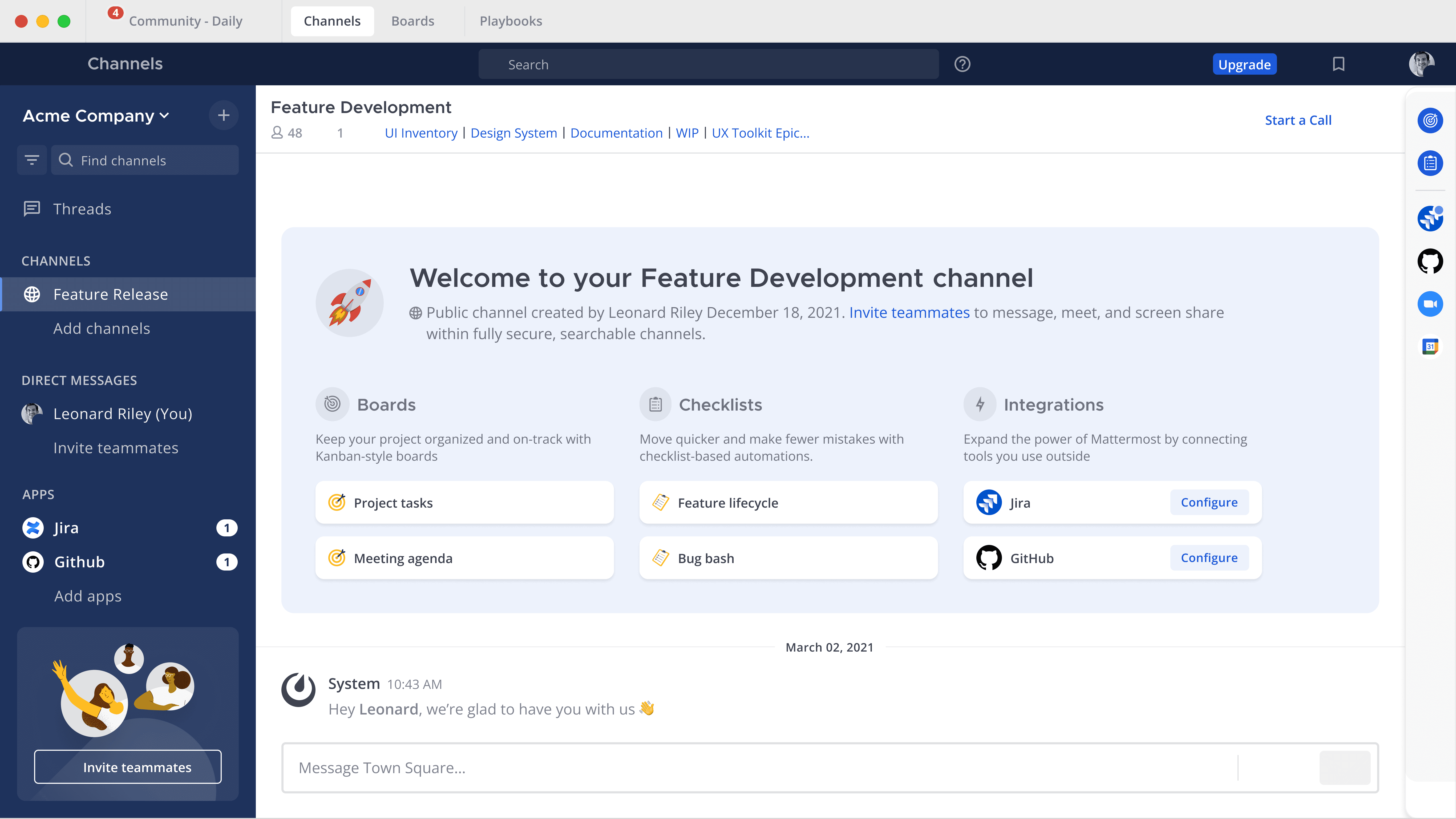
Spatial-orientation in the new channel
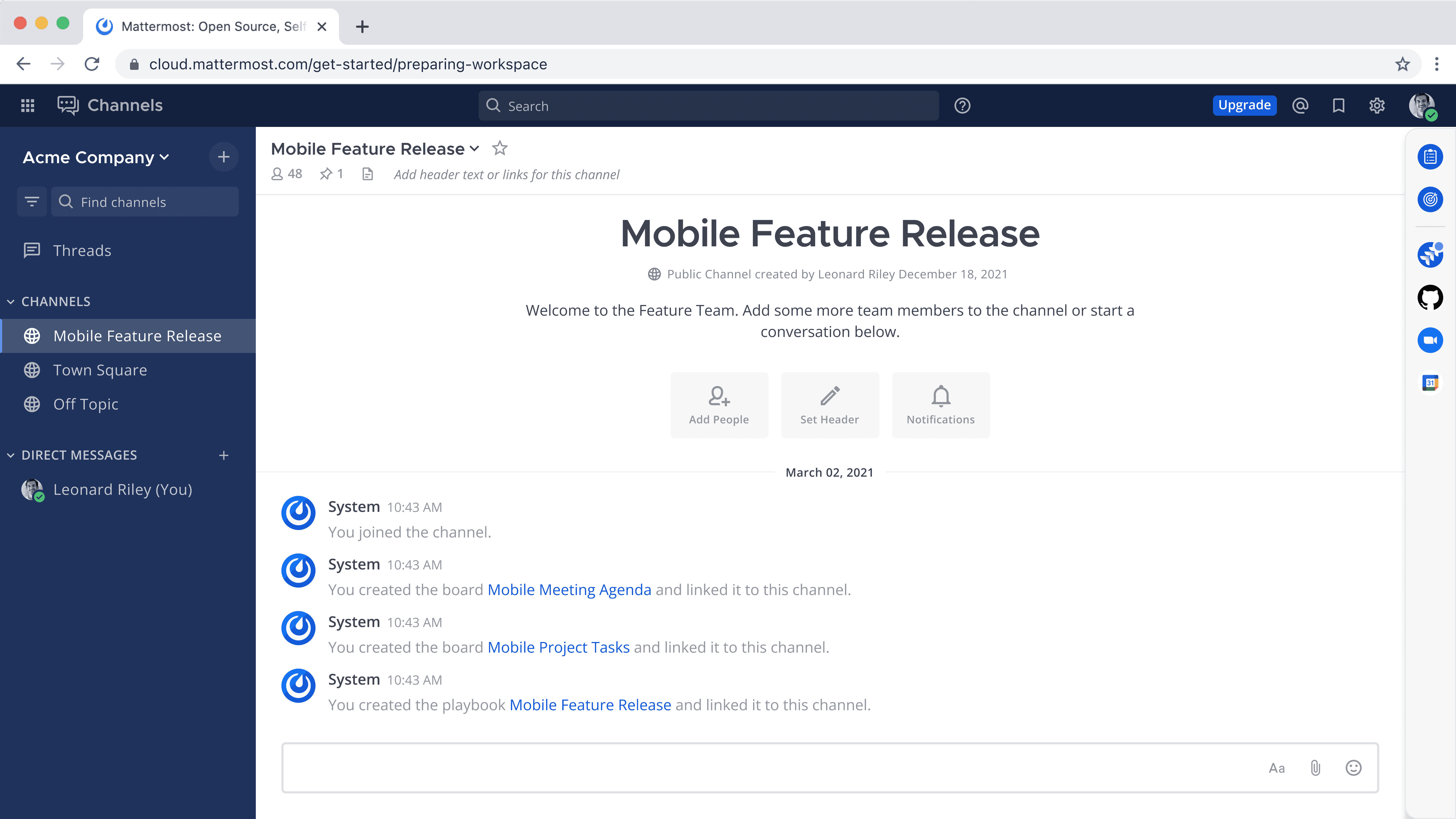
Once you created a template, how can we help you navigate what you've created? Initially, I began by following the existing convention of creating text links to the boards and playbooks you created within a channel. However, with the templates that include multiple boards, checklists and integrations, the channel can become busy quickly and difficult to navigate. Then I explored more of a visual presentation of the board to better understand the tools the user now has access to in their channel. This performed better with users by offering a more clear understanding of what they created at a glance. This banner was more scannable and offered icons to better associate with our product types.
V1